Page History
| Page properties | ||||||||||||
|---|---|---|---|---|---|---|---|---|---|---|---|---|
| ||||||||||||
|
| aura- |
|---|
| button | |||||||
|---|---|---|---|---|---|---|---|
|
|
|
|
|
|
|
|
| Aura - Background Content | ||||||||||||||
|---|---|---|---|---|---|---|---|---|---|---|---|---|---|---|
| ||||||||||||||
| Aura - Title | ||||||||||||||
|---|---|---|---|---|---|---|---|---|---|---|---|---|---|---|
| ||||||||||||||
Allgemeines zur Apple-ID |
| Aura - Panel | ||||
|---|---|---|---|---|
| ||||
Eine Apple-ID ist ein persönliches Konto, das benötigt wird um auf die Dienste von Apple zugreifen zu können.
|
|
|
|
|
|
|
|
|
|
|
|
|
|
| |
Eine Apple-ID ist ein persönliches Konto, das benötigt wird um auf die Dienste von Apple zugreifen zu können.
|
| Aura - Divider | ||||
|---|---|---|---|---|
|
| tab | 1 |
|---|---|
| styles | {"body":{},"header":{},"headline":{},"base":{"boxShadow":{"shadows":[{"color":"rgba(0, 0, 0, 0.08)","x":0,"y":1,"blur":1,"spread":0},{"color":"rgba(0, 0, 0, 0.16)","x":0,"y":1,"blur":3,"spread":1}]},"borderRadius":{"radius":4},"backgroundColor":{"color":{"light":"#f2f2f2"}}}} |
Dienstliche Apple-ID
| title | Ein-/Ausklappen |
|---|
Mit der dienstlichen Apple-ID haben Sie Zugriff auf iCloud, bei der Ihnen ein freier Speicher von 200 GB zur Verfügung steht. Allerdings können Sie mit dieser Apple-ID keine Einkäufe tätigen.
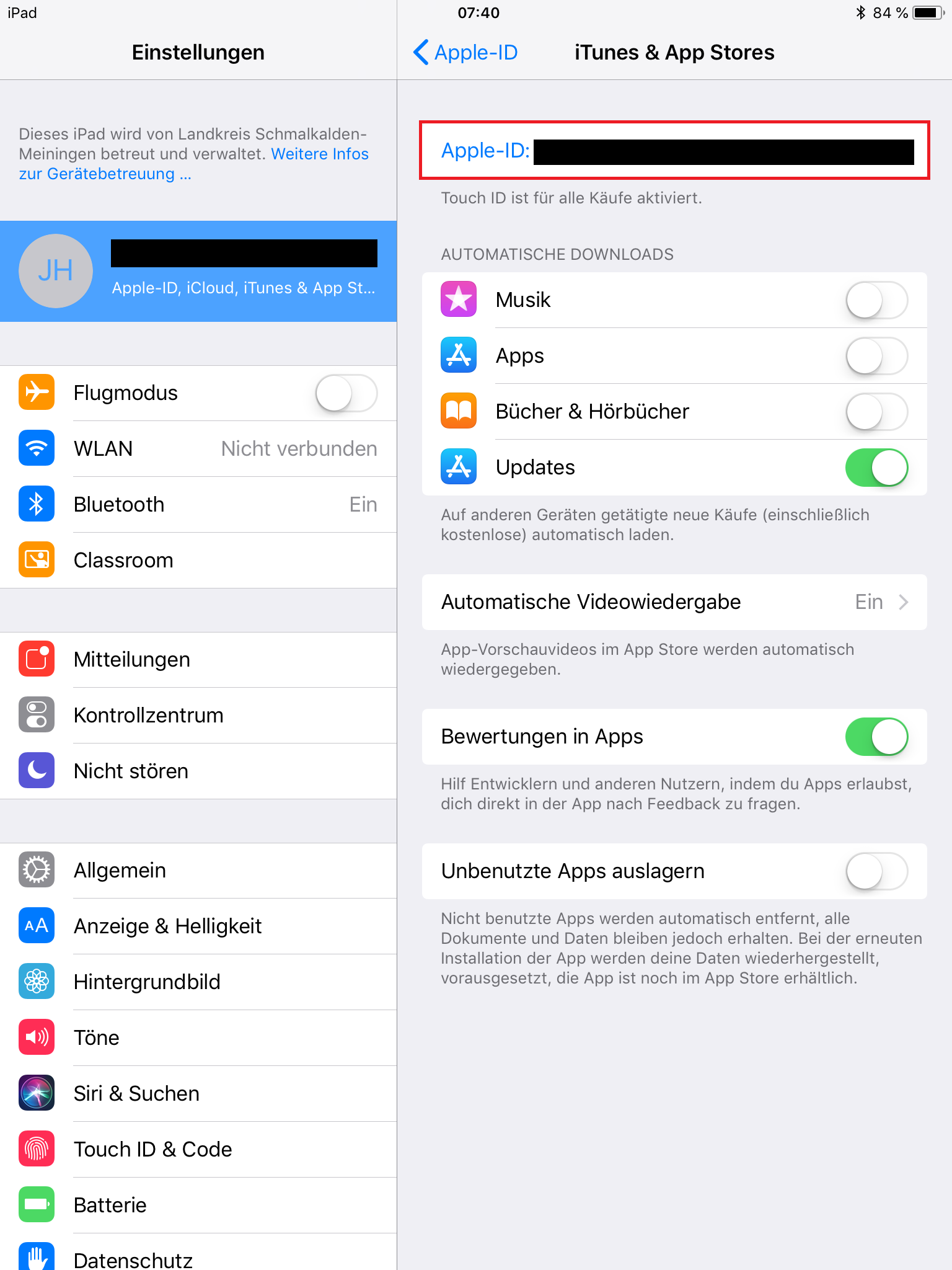
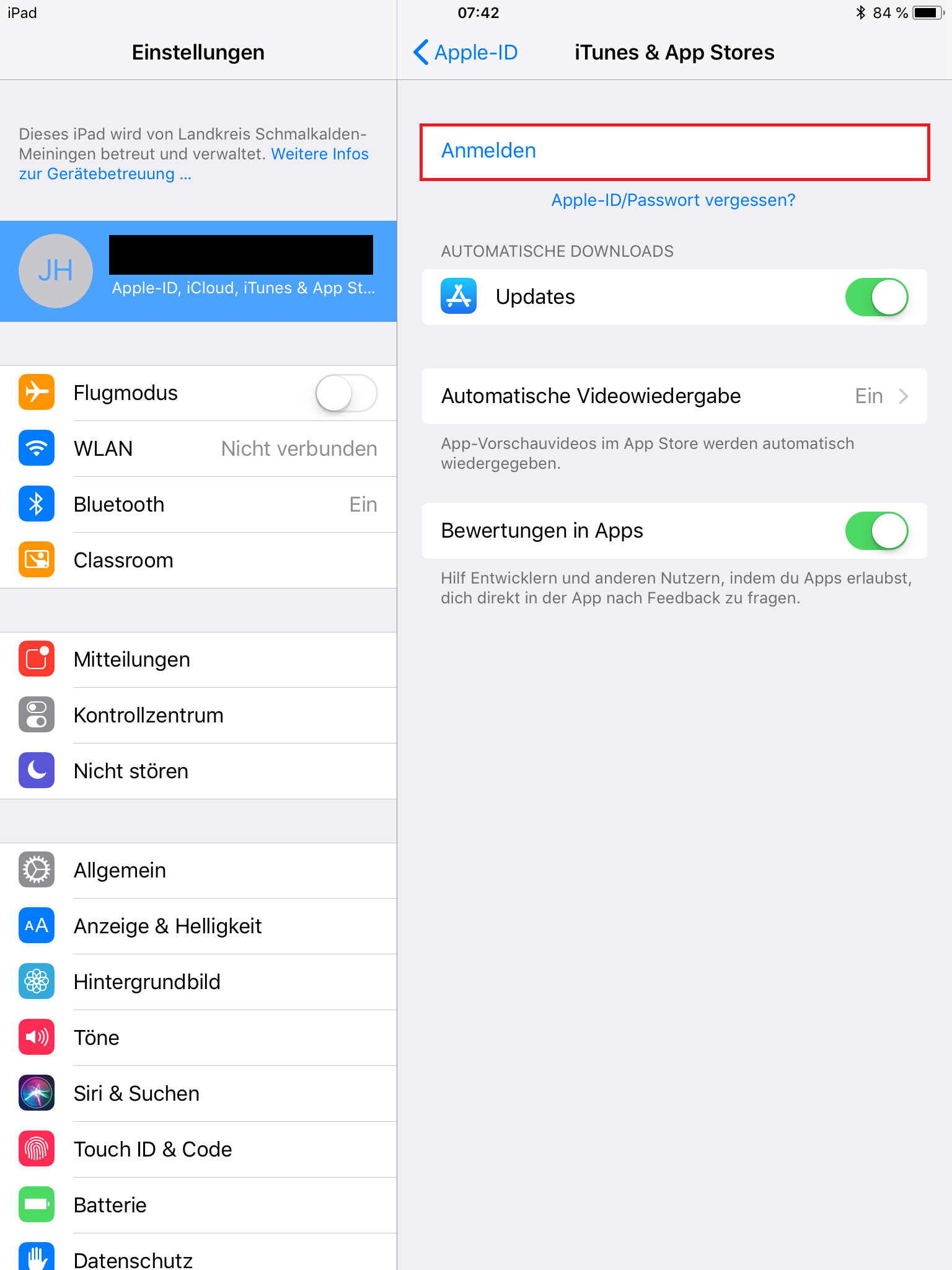
Ihre dienstliche Apple-ID finden Sie unter dem obersten Feld in den Einstellungen:
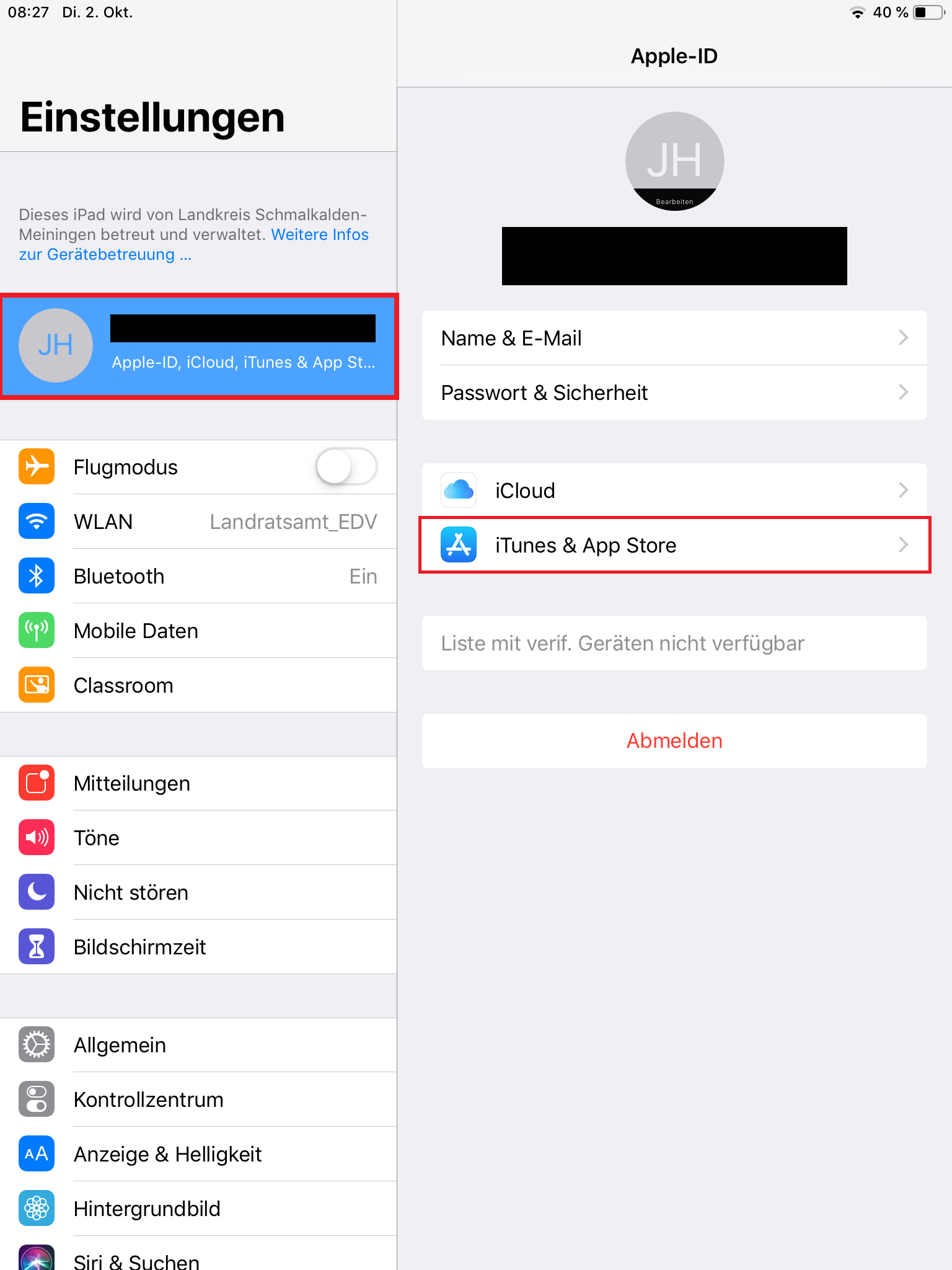
Unter dem Punkt iTunes & App Store können Sie dann ihre private Apple-ID finden.
|
| Aura - Panel | |||||
|---|---|---|---|---|---|
| |||||
Dienstliche Apple-ID
|
| Aura - Divider | ||||
|---|---|---|---|---|
|
| Aura - Panel | ||||
|---|---|---|---|---|
|
|
|
|
| tab | 1 |
|---|---|
| styles | {"body":{},"header":{},"headline":{},"base":{"boxShadow":{"shadows":[{"color":"rgba(0, 0, 0, 0.08)","x":0,"y":1,"blur":1,"spread":0},{"color":"rgba(0, 0, 0, 0.16)","x":0,"y":1,"blur":3,"spread":1}]},"borderRadius":{"radius":4},"backgroundColor":{"color":{"light":"#f2f2f2"}}}} |
Private Apple-ID
| title | Ein-/Ausklappen |
|---|
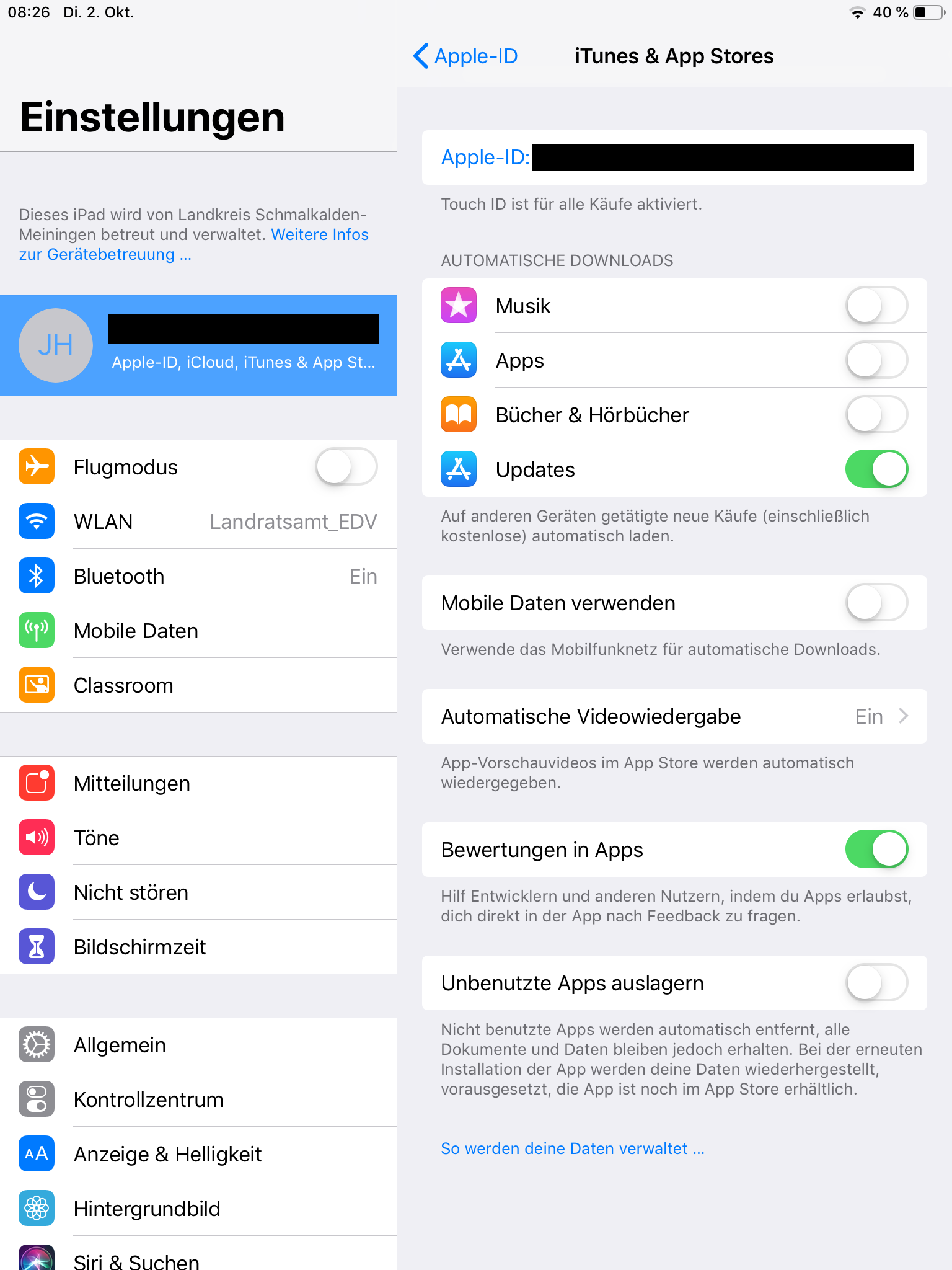
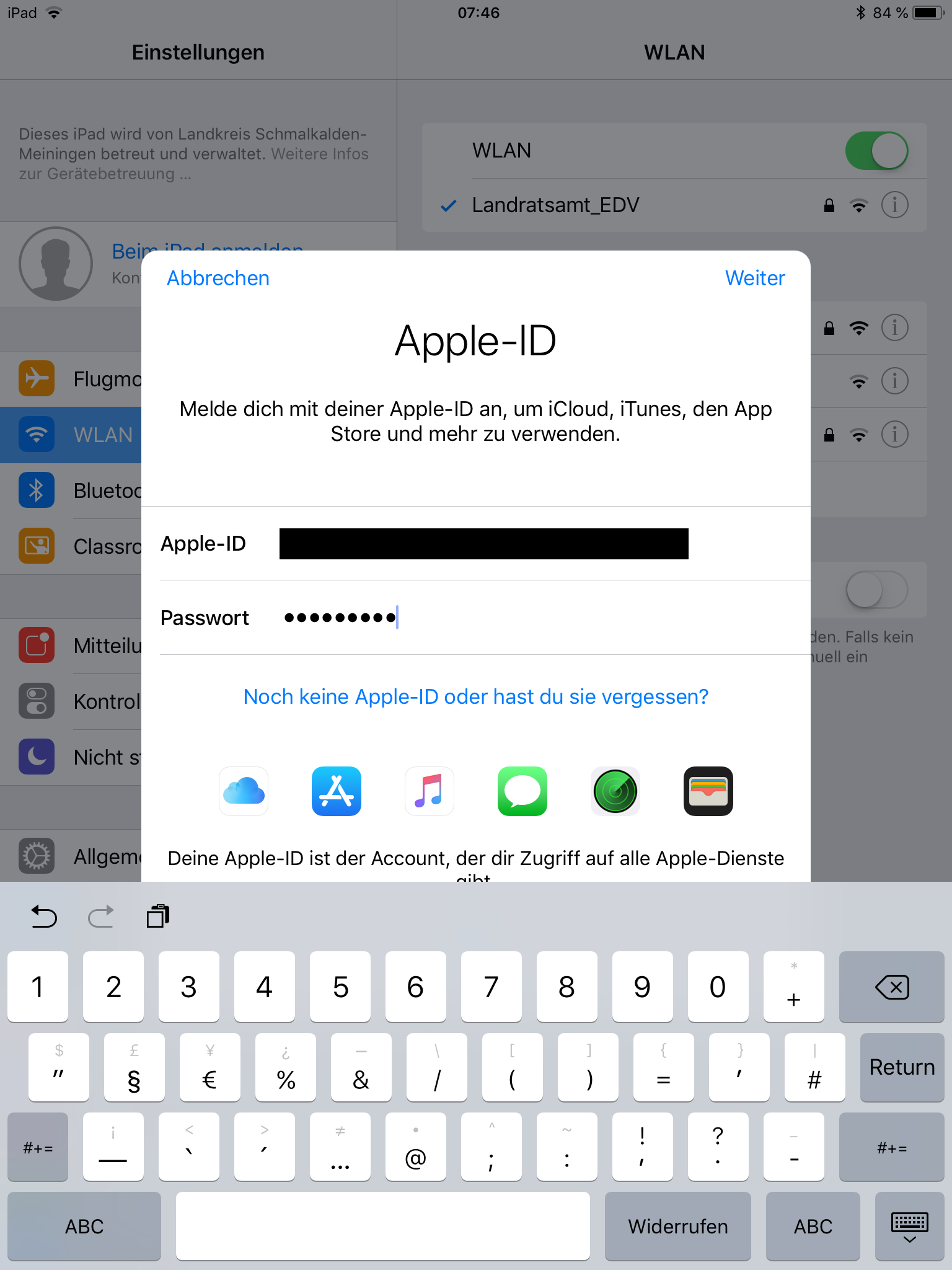
Mit der privaten Apple-ID können Sie im App und iTunes Store Einkäufe, wie z.B. Bücher und Apps, tätigen.
| Aura - Divider | ||||
|---|---|---|---|---|
|
| |||||
Private Apple-ID
|
| Aura - Divider | ||||
|---|---|---|---|---|
|
| Aura - Panel | |||||||||||
|---|---|---|---|---|---|---|---|---|---|---|---|
| |||||||||||
| Aura - Panel | |||||||||||
| |||||||||||
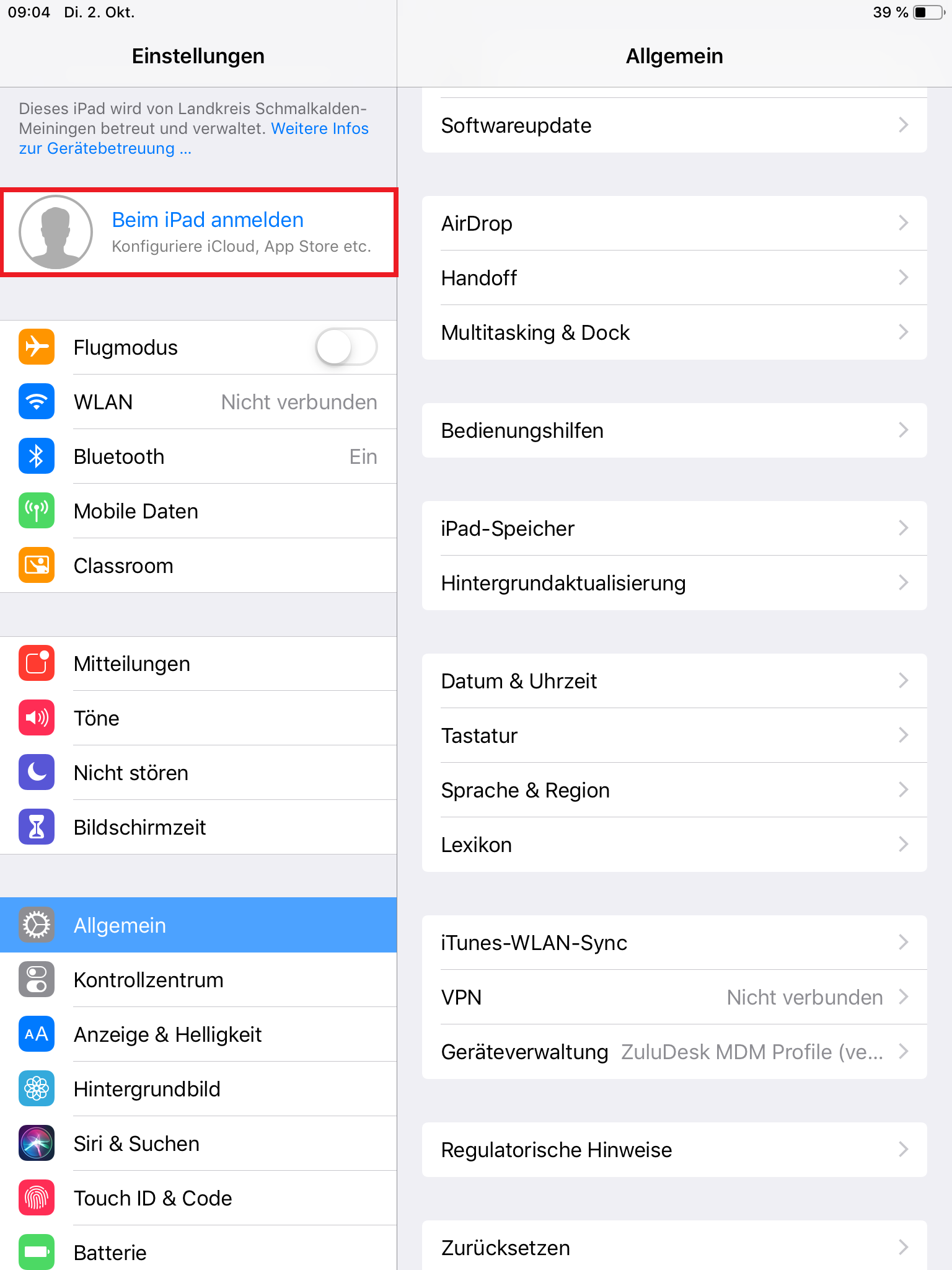
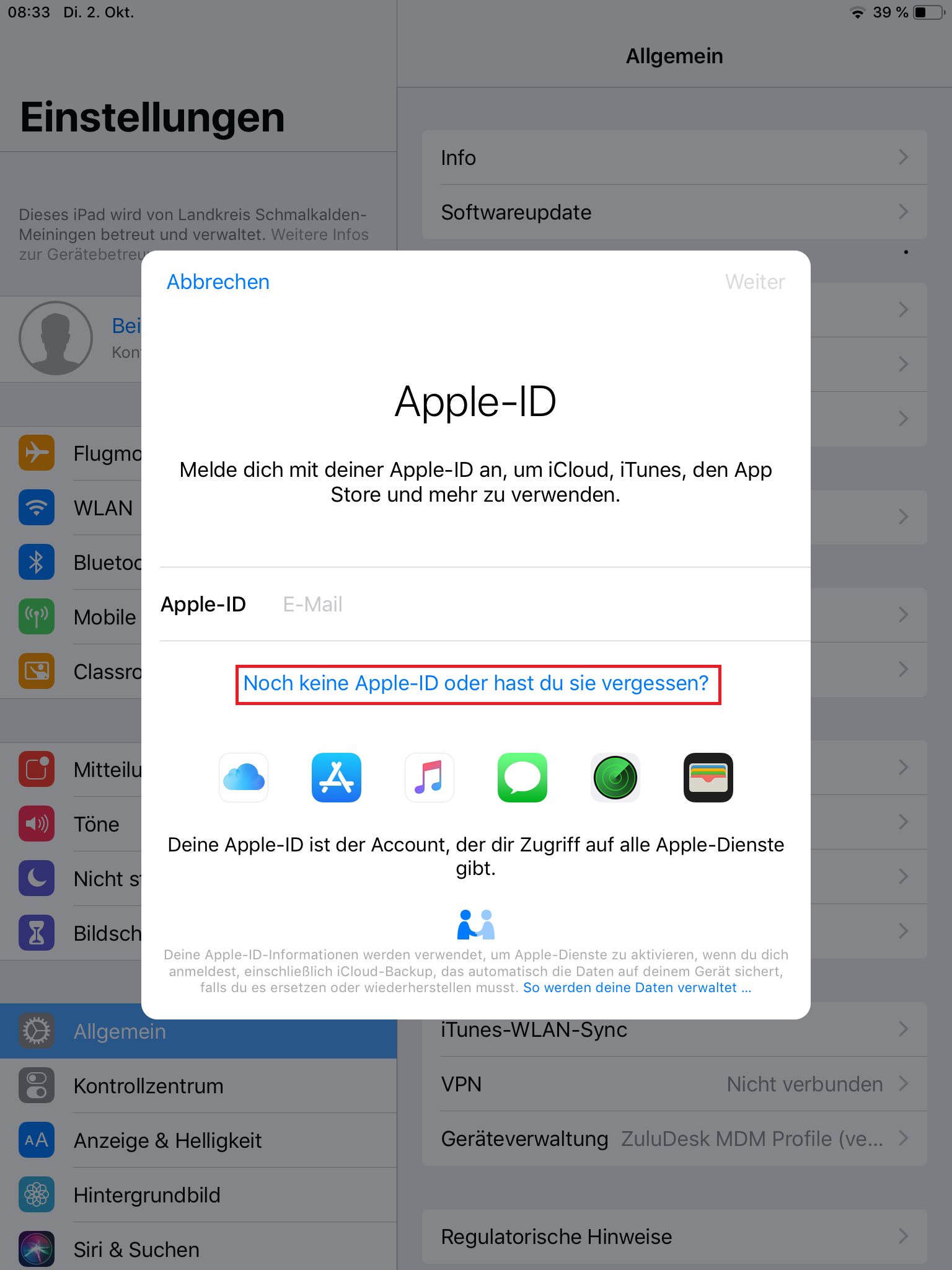
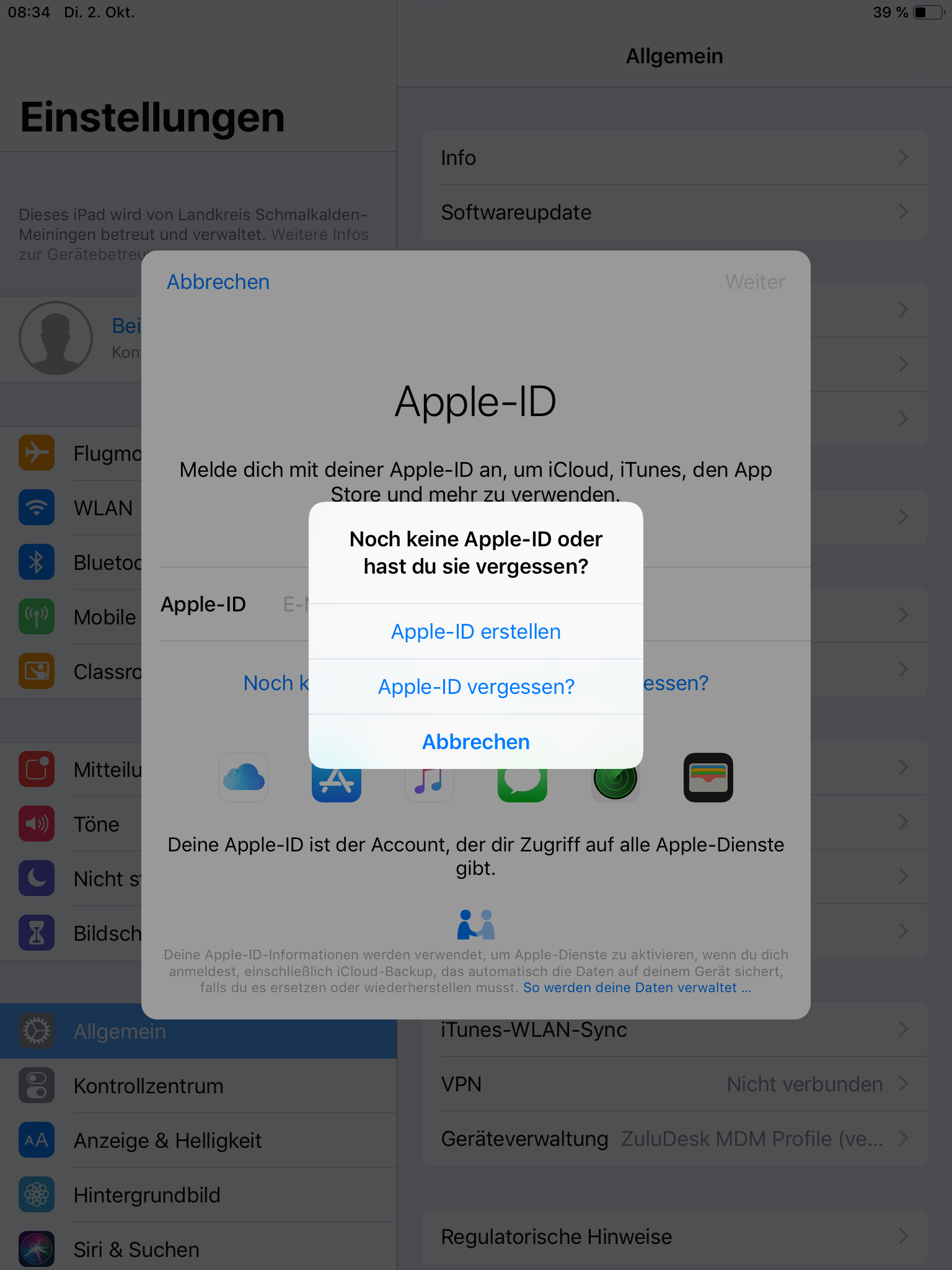
Apple-ID erstellen
|


| Aura - Divider | ||||
|---|---|---|---|---|
|
| Aura - Panel | ||||||
|---|---|---|---|---|---|---|
| ||||||
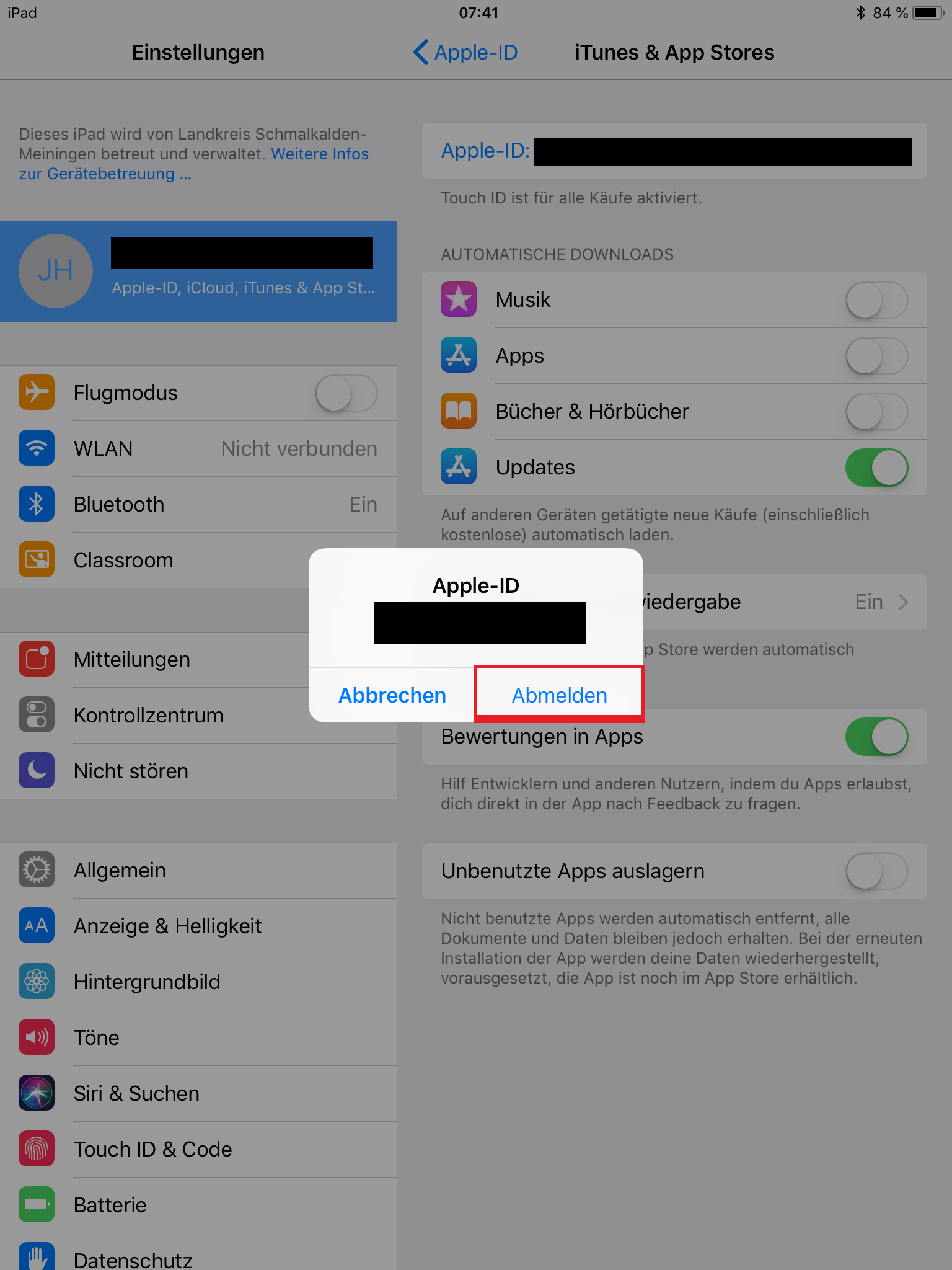
Vorgehensweise: mit privater Apple-ID anmelden
|
| Aura - Divider | ||||
|---|---|---|---|---|
|
| Aura - Panel | ||||
|---|---|---|---|---|
| ||||
Apple-ID.pdfWeitere Informationen zur Apple-ID finden Sie unter https://support.apple.com/de-de/apple-id. |
| Info |
|---|
Weitere Informationen zur Apple-ID finden Sie unter https://support.apple.com/de-de/apple-id. |
